A small business profit tracker should help you answer a practical question: after recording your sales and expenses, what does your business activity show? BizTrack brings those records into one application so you can review the numbers and download reports. If you want a focused tool for everyday business tracking, this guide explains what to check before you start.
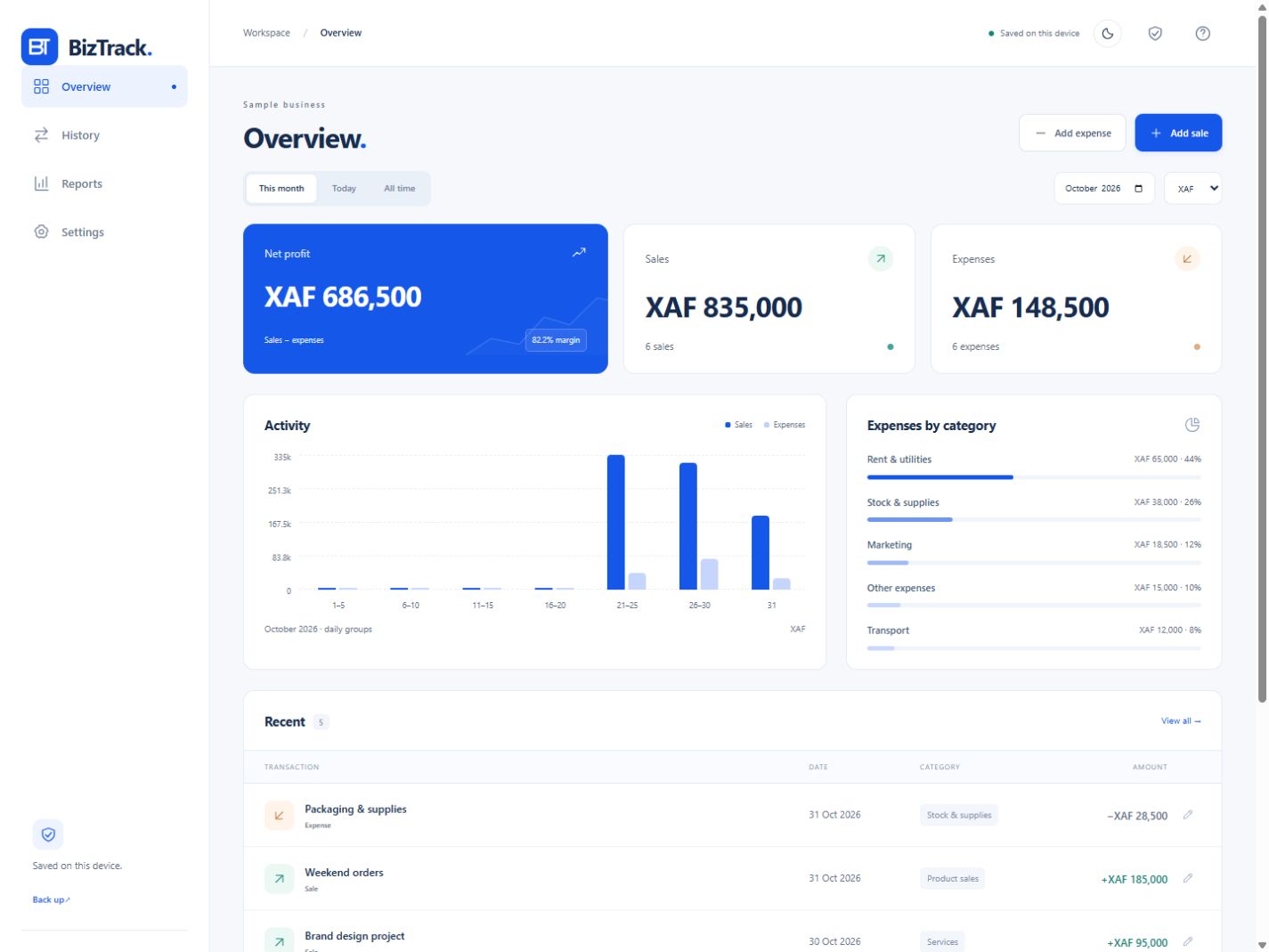
Explore BizTrack and its current features, or open the application to review the interface. The published preview uses sample data; your own business records start empty.
On this page
Table of Contents
Choose a small business profit tracker that fits your routine
Start with the work you need to record, not a long list of features you might never use. A shop owner may need a clear daily sales total. A service provider may need to compare customer payments with operating costs. A small trading business may want a consistent record to review at the end of each week.
BizTrack is presented as a sales, expenses, profit and reports application for small businesses. Those are the functions this article evaluates. Before relying on any tool, check the current application, its instructions and the way its reports fit your own recordkeeping process.
Seven practical reasons to consider BizTrack
1. Record daily sales in one place
Sales recorded consistently are easier to review than amounts scattered across messages and scraps of paper. With BizTrack, the starting task is straightforward: enter the sales you want to track, then return to the same application when you review your business activity. Decide when you will update it, such as after each trading day.
Use a repeatable description for similar transactions. Keep the original evidence for your records, and review an entry if the amount or date looks wrong. A small business profit tracker is useful when the information you enter reflects what actually happened.
2. Capture the expenses behind your sales
A sales total gives only part of the picture. Record the relevant business expenses as well so your review includes the costs behind the activity. For example, a seller might need to record packaging, transport or other operating spending alongside sales. Choose categories and descriptions that make sense for your business.
This is an illustrative workflow, not a claim that every business has the same costs. The important buying check is whether you can maintain your own records comfortably in the current application.
3. Review profit figures with the entries in context
BizTrack brings profit into the same business-tracking workflow as sales and expenses. That makes it a candidate when you want to look beyond revenue alone. Review the underlying entries when a figure changes, and make sure the period you are considering matches the records you have entered.
A displayed profit figure depends on the information supplied to the application. Check the entries and the period being reviewed before comparing results. A consistent process for recording activity makes those comparisons more useful.
4. Download reports for your own review
The BizTrack overview advertises downloadable reports. Before making it your main small business profit tracker, create a few representative entries and review the available report output. Check that the content, period and format are useful for the way you intend to keep or share records.
Treat a report as a record to inspect. Compare it with the entries behind it and retain the supporting evidence you need. For context about the developer’s wider work, you can view Futura Group’s software and business services.
5. Work offline after the initial setup
BizTrack’s published overview says it works offline after setup. This can suit a routine where you cannot depend on a continuous connection. Complete the initial setup online, then check the offline experience on the browser and device you plan to use.
Pair offline use with a regular backup routine. Read the current storage and backup instructions before entering important records. Keep a routine for retaining the copies you need and checking that you can use them.
6. Prepare your PIN, recovery key and backups
The first-use guidance asks you to create a PIN and keep your recovery key and backups safe. Follow those instructions before adding real business records. Choose a device you control and make sure you understand how you will regain access if your normal sign-in method is unavailable.
The public preview shows sample information, while your business records begin empty. That distinction lets you inspect the presentation without assuming the example totals belong to your business or represent a promised result.
7. Make the review process manageable
A small business profit tracker works best as part of a routine you can maintain. Set aside a short period to enter activity, check unusual amounts and review the available totals. If you will regularly postpone the work, simplify the process before relying on a larger set of records.
Try a representative period first. The trial gives you a practical basis for deciding whether BizTrack fits your workflow. Use the current product page and application instructions to confirm any feature that is essential to you.
How to evaluate a small business profit tracker in one working week
Choose a short period of real activity that you can check against your existing records. A small business profit tracker should make that review manageable. The suggested routine below helps you evaluate the fit of BizTrack’s sales, expenses, profit and reporting workflow before you depend on a larger set of entries.
Prepare the records for the period, choose your review time and follow the current setup instructions. If you already maintain a ledger, keep that record available while you assess the new workflow. This gives you a practical reference when checking the amounts you enter.
- Day one: complete setup. Create your PIN, retain the recovery key and read the backup instructions. Open the overview and identify where the current version presents sales, expenses, profit and reports.
- Day two: record sales consistently. Use clear descriptions for activity from the period you selected. Check each amount against the supporting record, and use the same approach when another similar sale occurs.
- Day three: include the costs. Record the relevant expenses for the same activity. A small business profit tracker becomes more useful when the record contains both sides of the review, with enough detail to recognise each entry.
- Day four: inspect a report. Download the report available in the application and confirm what information and reporting period it covers. Compare it with your entries, rather than relying only on the headline total.
- Day five: review the routine. Check whether you can keep the record current, understand the output and maintain backups. Write down any essential requirement you still need to confirm in the current application.
At the end of the week, assess the process as well as the figures. Could you locate an entry easily? Did your descriptions make sense when you returned later? Would another week require a reasonable amount of effort? Those answers help you decide whether this small business profit tracker belongs in your regular business routine.
A worked example: connect sales, expenses and the review period
Imagine a short period with recorded sales of 700 units and recorded expenses of 135 units. The difference is 565 units before any other costs or adjustments. These illustrative figures explain the review process; they are not customer results or figures taken from a real BizTrack account.
| Illustrative record | Amount |
|---|---|
| Sales recorded for the period | 700 units |
| Expenses recorded for the same period | 135 units |
| Difference before other costs or adjustments | 565 units |
When you compare a report with that record, start with the period and entries behind it. A missing expense, duplicated sale or incorrect date can change the picture. Use the supporting information to investigate a difference and make any correction according to the application’s current instructions.
For a small business profit tracker, consistency matters more than a large set of loosely described transactions. Review the same kind of activity in the same way. Keep the supporting record so that a number remains understandable when you return to it later.
BizTrack or FlowTrack: choose the workflow you need
BizTrack and FlowTrack address related recordkeeping needs with different published product descriptions. If your priority is a small business profit tracker with sales, expenses and downloadable reports, start by reviewing BizTrack. If you mainly want to maintain an income and spending ledger, inspect FlowTrack’s free tracking approach.
| Your main need | Product page to review |
|---|---|
| Business sales, expenses, profit and reports | BizTrack |
| Income and spending tracking with no signup | FlowTrack |
| Planning an offer, customers and the next 90 days | Start Local. Sell Global. |
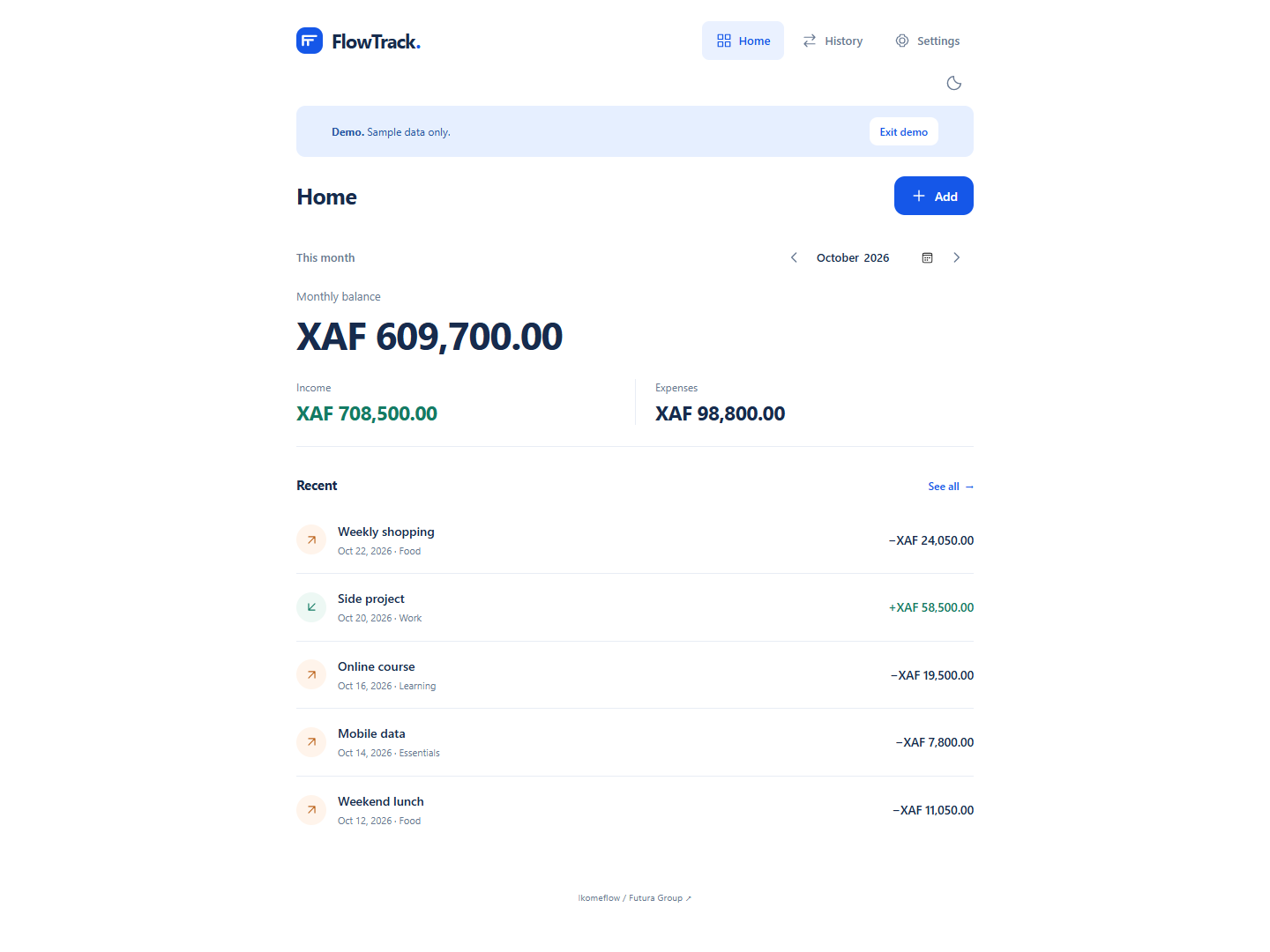
Read the FlowTrack buyer’s guide for its browser storage, offline setup and backup requirements. These are separate applications, so read the instructions for the one you intend to use. Choose the workflow that fits the records you need to maintain.
If you are still deciding what to sell or who your customers will be, the Start Local. Sell Global. buying guide explains the ebook’s planning resources. A small business profit tracker is most useful when you can connect its entries with activity you understand.
Small business profit tracker checklist before regular use
Use this checklist when you are ready to move from exploring the interface to maintaining a regular record. It keeps the decision focused on your own needs and the features currently described for BizTrack.
- Clear purpose: you can explain which sales and expenses you intend to record.
- Consistent entries: your descriptions are recognisable and your amounts match supporting records.
- Useful reports: you have inspected the output and understand the period and information it covers.
- Access prepared: your PIN and recovery information are retained according to the setup guidance.
- Backup routine: you know when you will create copies and where you will keep them.
- Repeatable review: you have chosen a time to update the record and check changes.
If an essential requirement remains unclear, review the current BizTrack overview and in-app guidance before committing your main record to the workflow. A short, deliberate evaluation helps you choose a small business profit tracker on practical evidence from your own routine.
What makes a small business profit tracker a good everyday fit?
Look for a process you can maintain: record activity, check the figures, inspect reports and keep backups. BizTrack is a candidate when its published sales, expenses, profit and reporting approach matches those needs. Review the current application and choose it because the workflow suits your business.
Is BizTrack the right next step?
Consider BizTrack if your immediate requirement is to record business sales and expenses, review profit and work with downloadable reports. If you mainly want to track personal income and spending, compare FlowTrack’s personal tracking approach. If you are still defining your offer and customers, explore Start Local. Sell Global. for planning context.
Small business profit tracker questions
Can I use BizTrack offline?
The published product overview says BizTrack works offline after setup. Make the initial online visit and test the workflow on your chosen device before relying on it away from a connection.
Will the example figures become my records?
No. The preview uses sample data, and the published guidance says your business records start empty. Enter your own information and check it before reviewing reports.
What should I check before I start?
Review the current features, first-use instructions, available reports, storage guidance and backup process. Confirm any essential requirement in the application rather than assuming it is included.
Open BizTrack and check the fit
Ready to choose a small business profit tracker? Review BizTrack’s overview, then open BizTrack. Start with a manageable set of records and decide whether its sales, expenses, profit and reporting workflow suits your business.
Leave a Reply